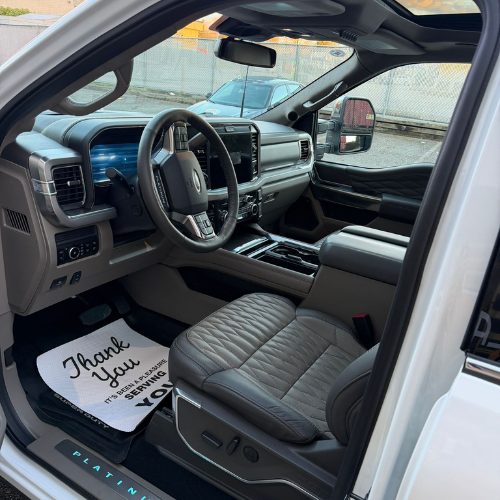
Why the Center Dashboard Gets Dirty So Quickly
Unlike many other interior components, the center dashboard sits at the center of driver and passenger activity. Hands frequently come into contact with controls, transferring oils and dirt onto surfaces.
Common contaminants include:
- Fingerprints on touchscreens
- Dust from air vents
- Coffee and drink splashes
- Food crumbs
- Skin oils around buttons and knobs
- Residue from cleaning products
Because many dashboard surfaces are dark-colored, even a thin layer of dust becomes highly visible under sunlight.
Start With a Thorough Inspection
Before reaching for any cleaning products, take a close look at the dashboard.
Different materials require different care methods. Most center consoles contain a combination of:
- Plastic trim
- Touchscreens
- Infotainment controls
- Air vents
- Piano-black panels
- Metallic accents
Identifying these materials first helps prevent accidental damage.
One mistake I often see people make is using a single all-purpose cleaner on every surface. While it may seem convenient, certain cleaners can leave streaks on screens or dull sensitive trim pieces.
A few extra minutes spent identifying materials often saves a lot of frustration later.
Remove Loose Dust First
Cleaning should always begin with dry debris removal.
Using a soft detailing brush or microfiber cloth, gently loosen dust from:
- Vent openings
- Button edges
- Cup holder surrounds
- Control knobs
- Screen borders
A small handheld vacuum can help collect debris as it is dislodged.
Removing loose particles first prevents them from being dragged across sensitive surfaces during later cleaning stages.
This simple step also reduces the risk of creating fine scratches on glossy trim.
Clean Air Vents Carefully
Air vents tend to trap dust deep inside narrow slats.
A soft detailing brush works extremely well for this area. Lightly sweep across each vent while holding a vacuum nozzle nearby to capture airborne dust.
For stubborn buildup, a microfiber cloth wrapped around a plastic trim tool can help reach difficult corners.
Avoid spraying liquid cleaners directly into vents. Excess moisture may travel deeper into the ventilation system where it becomes difficult to remove.
Safely Clean Touchscreens and Displays
Modern infotainment screens require special care.
Many screens have protective coatings that can be damaged by harsh chemicals or excessive pressure.
The safest approach is usually:
- Use a dry microfiber cloth to remove loose dust.
- Lightly dampen a second microfiber cloth with screen-safe cleaner or distilled water.
- Wipe gently using straight-line motions.
- Dry immediately with a clean microfiber towel.
Avoid paper towels, which can leave fine scratches over time.
Likewise, avoid spraying cleaners directly onto the screen. Always apply product to the cloth first.
Address Buttons, Knobs, and Control Panels
Buttons and climate controls often collect oils from repeated contact.
A microfiber towel lightly dampened with interior cleaner works well for most surfaces.
For tight gaps around buttons:
- Use a soft detailing brush
- Work gently around edges
- Wipe away loosened residue immediately
This method helps restore a clean appearance without forcing moisture into electronic components.
One small trick many experienced detailers use is to clean controls with the buttons in their resting position first, then press individual buttons while cleaning around their edges. This often reveals hidden dirt that would otherwise remain trapped.
Dealing With Piano-Black Trim
Piano-black trim looks attractive when clean but scratches very easily.
These glossy surfaces are notorious for showing fingerprints and swirl marks.
To clean them safely:
- Use only premium microfiber towels
- Avoid excessive pressure
- Fold towels frequently to expose clean sections
- Use minimal product
Patience matters here.
Rubbing aggressively usually creates more problems than it solves.
If fingerprints are especially stubborn, lightly mist the towel rather than applying additional force.
Remove Stubborn Residue Without Damage
Sometimes sticky residues from drinks, air fresheners, or spilled products find their way onto dashboard surfaces.
In these situations:
- Apply a small amount of interior-safe cleaner
- Allow it to dwell briefly
- Gently wipe with microfiber
Avoid using household degreasers or abrasive cleaners.
While they may remove residue quickly, they can also discolor plastics or leave permanent marks on delicate surfaces.
According to the experts behind this guide on auto detailing abbotsford, using interior-specific products and soft cleaning tools helps preserve dashboard materials while achieving a deeper clean.
Don’t Forget Hidden Areas
Many dashboard cleaning sessions focus only on visible surfaces.
However, dirt frequently accumulates in overlooked spots such as:
- Around USB ports
- Beneath climate controls
- Inside storage compartments
- Around gear selector surrounds
- Under infotainment screens
Taking a few extra minutes to address these areas often creates the biggest improvement in overall appearance.
It’s one of those details people may not consciously notice, but they immediately recognize when an interior feels truly clean.
Finish With UV Protection
Once the dashboard is clean, applying a quality interior protectant can help maintain results.
A good protectant can:
- Reduce future dust buildup
- Protect against UV damage
- Minimize fading
- Maintain a natural appearance
The key is moderation.
Heavy, greasy dressings often attract additional dust and create unwanted glare on sunny days.
A subtle, factory-style finish usually looks best and lasts longer.
Establish a Simple Maintenance Routine
Keeping the center dashboard clean becomes much easier when maintenance is performed regularly.
A quick routine might include:
- Weekly dust removal with microfiber
- Monthly deep cleaning of vents and controls
- Immediate cleanup of spills
- Periodic application of UV protection
This prevents contaminants from building up to the point where intensive cleaning becomes necessary.
Small efforts performed consistently often produce better results than occasional major cleanings.
Final Thoughts
The center dashboard serves as the visual and functional hub of a vehicle’s interior. Because it experiences constant use, it naturally attracts dust, fingerprints, and grime faster than many other surfaces.
Fortunately, effective cleaning doesn’t require complicated techniques. By removing loose debris first, using appropriate cleaning products, paying attention to sensitive materials, and maintaining a consistent routine, you can keep the dashboard looking clean and well cared for throughout the year.
Also read more information so click here.
No Responses